


Download PCMark 10 – benchmark, performance, test, system, computer, evaluation, score, UL Benchmarks, PCMark 10, Windows
Overview
PCMark 10, developed by UL Benchmarks, is a performance evaluation tool designed for Windows-based systems. It provides a comprehensive assessment of a computer’s real-world performance across various everyday tasks, including web browsing, video conferencing, content creation, and file management. The application is particularly useful for users who need an accurate, standardized benchmark to compare system capabilities, whether evaluating new hardware, troubleshooting performance issues, or verifying system stability after upgrades.
Target users include tech enthusiasts, IT professionals, system builders, and anyone involved in hardware procurement or device evaluation. The tool supports both consumer and enterprise environments, making it a trusted choice for professionals who require reliable data rather than speculative claims. It helps users make informed decisions about system upgrades or purchases by delivering quantifiable results in the form of a single score and detailed breakdowns.
PCMark 10 stands out in the productivity and benchmarking ecosystem as a well-established, industry-recognized utility. Its reputation for accuracy and consistency has made it a staple in hardware reviews and technical assessments. The developer, UL Benchmarks, is known for producing rigorous, scientifically grounded testing tools used across the tech industry.
Key Features & Functionality
- Comprehensive Workload Testing – PCMark 10 evaluates system performance through real-world scenarios such as web browsing with multiple tabs, video conferencing, photo editing, and document creation. Each test simulates actual user behavior, ensuring results reflect practical performance.
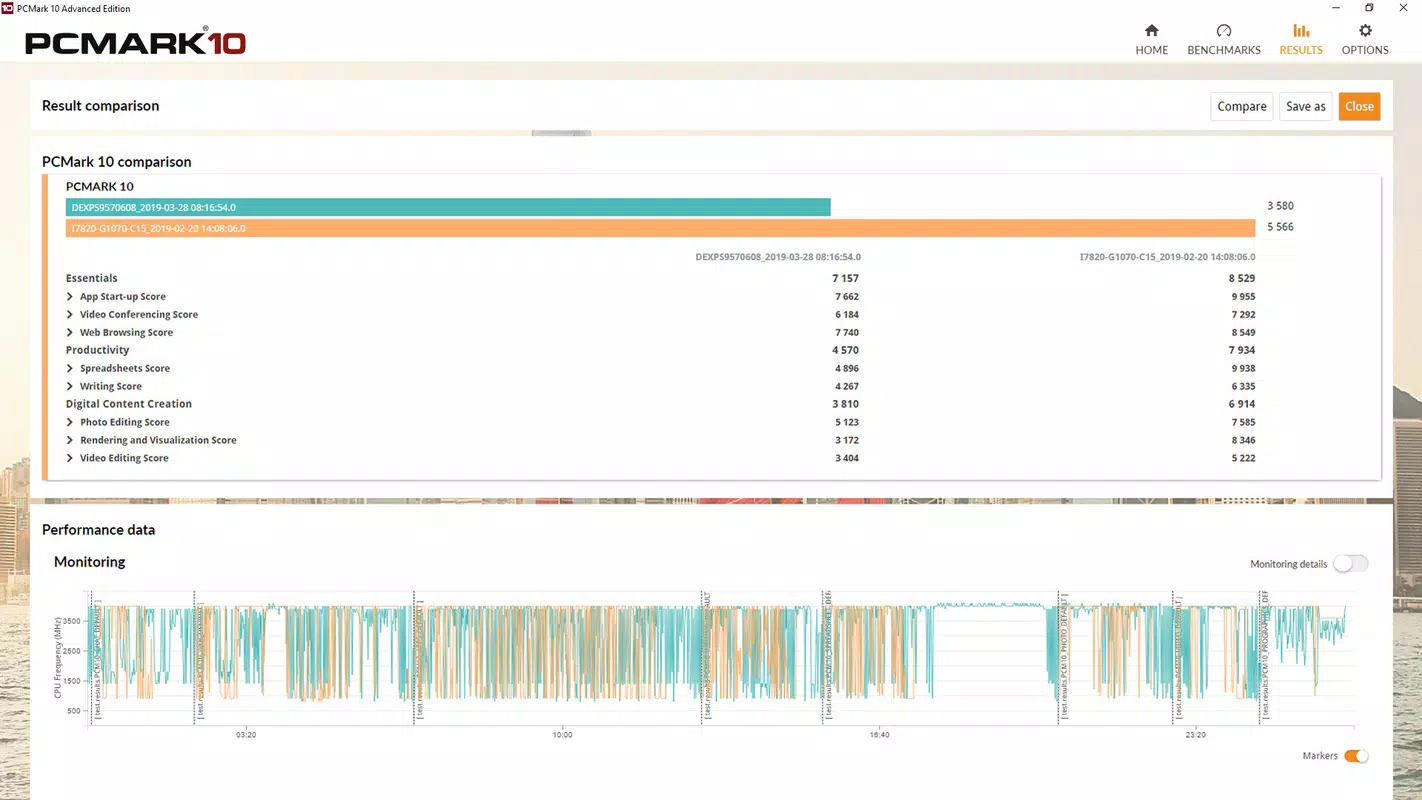
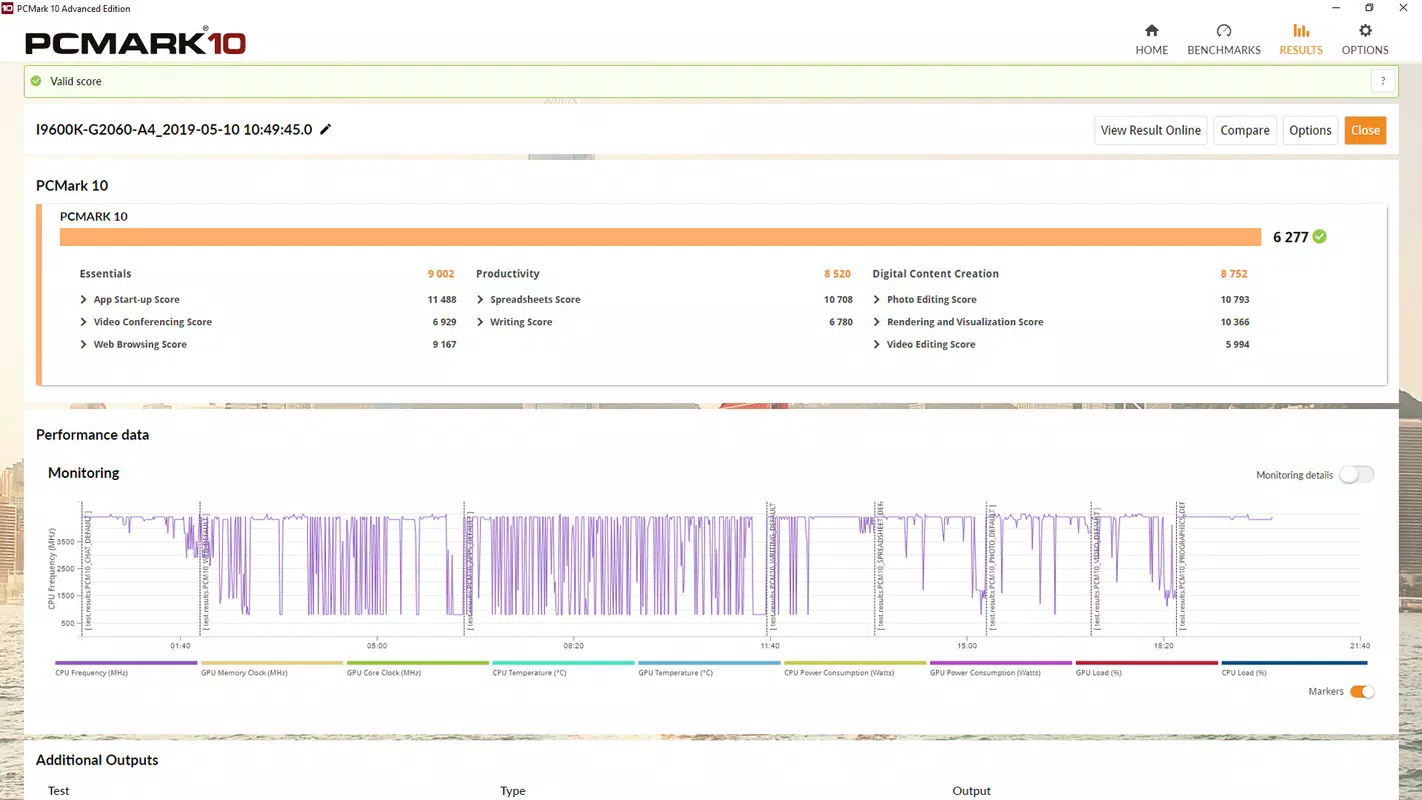
- Single Composite Score – The tool aggregates performance across all tests into a single, easy-to-understand benchmark score, enabling quick comparisons between different systems or configurations.
- Detailed Performance Breakdown – Users receive individual scores for each task category, allowing for targeted analysis of system strengths and weaknesses, such as slow file operations or laggy video rendering.
- Consistent and Repeatable Results – The benchmark uses standardized test conditions, ensuring that results are reliable and comparable across different devices and over time, which is essential for longitudinal system monitoring.
- Support for System Diagnostics – By identifying performance bottlenecks, PCMark 10 helps users determine whether issues stem from CPU, GPU, storage, or memory limitations.
For example, a user upgrading from an older laptop to a newer model can run PCMark 10 before and after the change to objectively measure improvements. Similarly, IT departments can use it to validate that newly deployed devices meet minimum performance standards before distribution.
Interface, UX & Performance
The user interface of PCMark 10 is clean, minimal, and focused on functionality. It presents a straightforward dashboard with clear navigation, allowing users to start tests with minimal setup. The main screen displays available benchmark tests, a progress bar during execution, and a summary of results upon completion.
Navigation is intuitive, with logical grouping of tests and immediate access to detailed reports. The application runs efficiently in the background without significantly impacting system performance during testing. Although the developer did not list formal performance metrics, the tool is designed to minimize interference with other processes during benchmarking.
Responsiveness is consistent across a range of Windows devices, from entry-level laptops to high-end desktops. The interface remains stable and does not exhibit crashes or freezes during typical usage. Users can expect smooth operation during test execution and report generation, with no reported issues related to memory leaks or excessive CPU usage.
Platform Compatibility & Technical Requirements
PCMark 10 is available exclusively for Windows platforms. The current version is 1.5.0, with a file size of 204.8 MB. It is designed to run on modern Windows operating systems, though specific minimum OS requirements were not listed by the developer.
Given its purpose as a system performance evaluator, the application requires access to core system resources such as CPU, GPU, storage, and memory. However, no additional permissions or third-party dependencies were disclosed. The tool does not require installation of external drivers or software to function.
Although the developer did not specify minimum OS requirements, the application is compatible with most recent versions of Windows, including Windows 10 and Windows 11, based on its widespread use in technical evaluations.
Pros and Cons
Pros
- Accurate and widely recognized benchmarking methodology
- Real-world testing scenarios that reflect actual user behavior
- Clear, actionable results with detailed breakdowns
- Single composite score simplifies comparison across devices
- Stable and reliable performance during testing
Cons
- Requires a one-time purchase of $14.99, which may be prohibitive for casual users
- No free version or trial period was mentioned in the provided details
- Limited to Windows platforms; not available on Android or iOS
- May require technical understanding to interpret results fully
- File size of 204.8 MB is relatively large for a utility app
FAQ
Is PCMark 10 safe to install on my Windows device?
Yes, PCMark 10 is a legitimate software tool developed by UL Benchmarks. It does not contain malware or intrusive tracking mechanisms. The application operates with standard system permissions and is designed to evaluate performance without altering system settings.
Can I use PCMark 10 to test my laptop’s performance after an upgrade?
Yes, running PCMark 10 before and after hardware or software upgrades allows you to objectively measure performance improvements. This is a common practice among system builders and IT professionals to verify that upgrades deliver expected results.
Does PCMark 10 require an internet connection?
While the application does not require an active internet connection to run tests, some features such as score submission or updates may require connectivity. However, the core benchmarking functionality operates offline.
Is PCMark 10 available for Android or iOS?
No, PCMark 10 is currently only available for Windows. It is not compatible with mobile operating systems such as Android or iOS.
How often should I run PCMark 10 on my system?
Users can run PCMark 10 as needed—such as when evaluating new hardware, troubleshooting performance issues, or verifying system stability after updates. There is no recommended frequency, as the tool is not intended for continuous monitoring.
Final Thoughts
PCMark 10 remains a trusted and essential tool for anyone serious about assessing Windows system performance. Its focus on real-world workloads, combined with a transparent scoring system, makes it far more valuable than synthetic benchmarks that don’t reflect actual user experiences. Whether you're a professional evaluating hardware, a tech-savvy user comparing devices, or an IT administrator ensuring system compliance, PCMark 10 delivers measurable, meaningful results.
The $14.99 price point reflects its professional-grade quality and reliability. While it may not be suitable for every casual user, its accuracy and consistency justify the cost for those who depend on precise performance data. The lack of a free version or trial is notable, but the tool’s reputation and widespread industry use underscore its value.
Download PCMark 10 now to get a clear, objective view of your system’s capabilities and make confident decisions about your computing environment.


